

Deze gids is voorlopig alleen in het Engels beschikbaar.
AI workstations for schools: funding, buying rules and what to ask
You want pupils to learn AI, coding or 3D design on a machine that is fast enough, safe and easy to look after. This page explains how schools usually pay for one, which rules apply, and what to check before you buy. When you are ready, our AI advisor asks a few questions and suggests machines from our catalogue.
Laatst gecontroleerd op 13 Oct 2026
Twijfelt u? Vraag het onze AI-adviseur
Hij vraagt naar de klasgrootte, wat de leerlingen zullen draaien en uw budget, en kiest dan uit onze catalogus. Hij stelt alleen machines voor die wij verkopen, met echte prijzen en levertijden.
What a school workstation is for
Most schools want one or two strong machines rather than a room full of them. Common uses:
- Teaching AI: run small language and image models on site, so pupils see how AI works without sending their work to an outside service.
- Computing and coding clubs: train simple models, try robotics kits and run simulations.
- Design and media: 3D design, video editing and rendering for D&T, art and media courses.
A starter machine costing up to £2,800 ex VAT (£3,360 inc VAT) is a good first step for most of these.
Where the money can come from
We don't run grants and we can't tell you which ones you'll win. Schools we talk to usually pay from:
- The school or trust budget, often the IT or capital budget.
- Local grants and trusts, such as community funds, local businesses or education charities.
- Partnerships with a nearby university or employer who wants to support AI skills.
Most funders want a clear spec and a price. Our advisor can help you write the spec, and you can download a PDF quote that matches it. A normal quote stays valid for 30 days.
Buying rules
- State-funded schools in England can get free help from the Department for Education's Get help buying for schools service. It can point you to approved buying frameworks.
- Your trust or local authority may have its own limits on how much you can spend before you need more than one quote. Ask your business manager.
- VAT: our prices are shown with and without VAT. Maintained schools usually reclaim VAT through their local authority, and academies through the academies VAT refund scheme. Check with your finance team how this works for you.
Keeping it safe and compliant
- Digital and technology standards: the Department for Education publishes standards for school IT, including cyber security and filtering and monitoring. Show your IT lead the spec before you buy.
- Pupil data: UK GDPR still applies. Running AI on a machine in school means pupil work doesn't need to leave the building. Agree with your data protection officer what can be stored on it.
- Accounts and updates: give pupils their own accounts, not an admin one, and keep the operating system and drivers up to date.
- Power and noise: a desk-side workstation runs from a normal plug. Servers are louder and belong in a server room.
Questions to ask before you buy
- What will pupils actually run on it, and how many at once?
- How much GPU memory do those tools need? This matters more than anything else for AI.
- Who will look after it, and what support comes with it?
- What is the real lead time? We show the lead time from our stock data on every product.
- Is the price shown with and without VAT, with no extra fees? Ours always is.
Starter workstations
Machines from our catalogue costing up to £2,800 ex VAT (£3,360 inc VAT), cheapest first. Prices, stock and lead times are live.
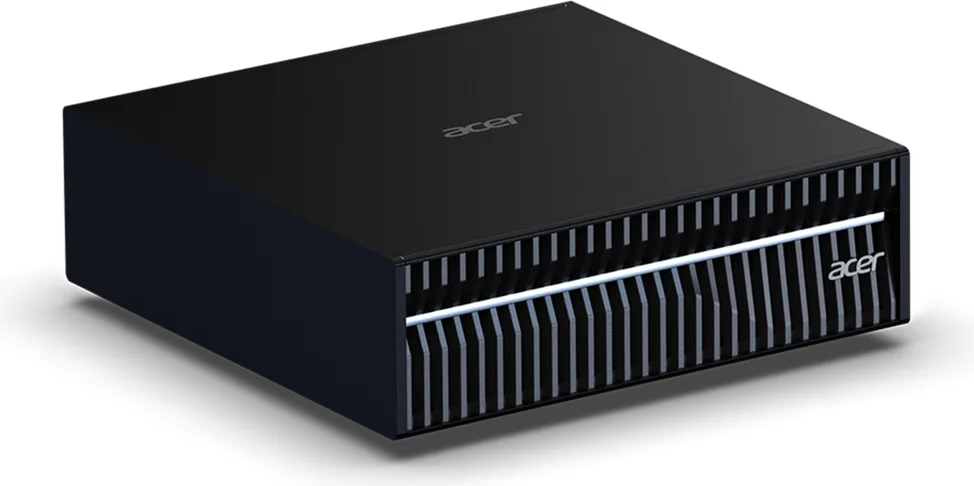
- AI performance: Up to 1 PFLOP FP4
- Superchip: NVIDIA GB10 Grace Blackwell
- System memory: 128 GB LPDDR5x coherent unified memory
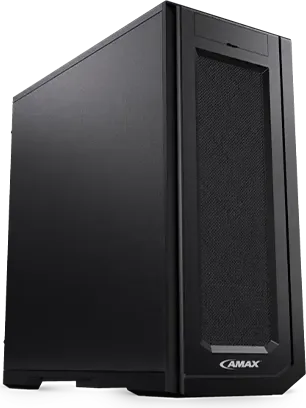
- CPU: AMD Ryzen Threadripper PRO
- Form factor: Tower
- Model: DL-E120A

- CPU: Intel Xeon W-3400 / W-2400
- Form factor: Tower
- Model: DL-E400
- CPU: AMD EPYC 7003
- Model: LA-2
- NVIDIA GPU options: NVIDIA RTX A6000
- CPU: AMD EPYC 9004
- Form factor: Tower (liquid cooled)
- Model: LA-5a
- CPU: Intel Xeon Scalable (4th/5th Gen)
- Form factor: Tower (liquid cooled)
- Model: LX-5a
Veelgestelde vragen
Do we need a GPU to teach AI?
For small examples, no. To train or run models that pupils can see working quickly, yes. An NVIDIA GPU with enough memory is the part that makes the biggest difference.
Can you help with a grant application?
We can't apply for you or promise funding. Our advisor can help you write a clear spec, and you can download a PDF quote to attach to your bid.
Are your prices shown with VAT?
Yes. Every price is shown without VAT and with VAT, and there are no hidden fees.
Can pupils use AI on it without sending data outside the school?
Yes. Models can run on the machine itself. You still need to agree with your data protection officer what data is stored and who can see it.
Krijg een voorstel op maat van uw behoeften
Hij vraagt naar de klasgrootte, wat de leerlingen zullen draaien en uw budget, en kiest dan uit onze catalogus. Hij stelt alleen machines voor die wij verkopen, met echte prijzen en levertijden.